 Beer Appear
Skip the line at the bar
Your next round, without the wait.
Tap the tag, pick your drinks and pay with your phone. We'll tell you when they're ready.
On your phone, at our demo bar. No money moves, and no app to download.
On a computer? Scan with your phone to order from our demo bar.
How it works
Four steps from thirsty to served
Order from where you're standing, then pick up at the bar.
-
1
Tap the tag
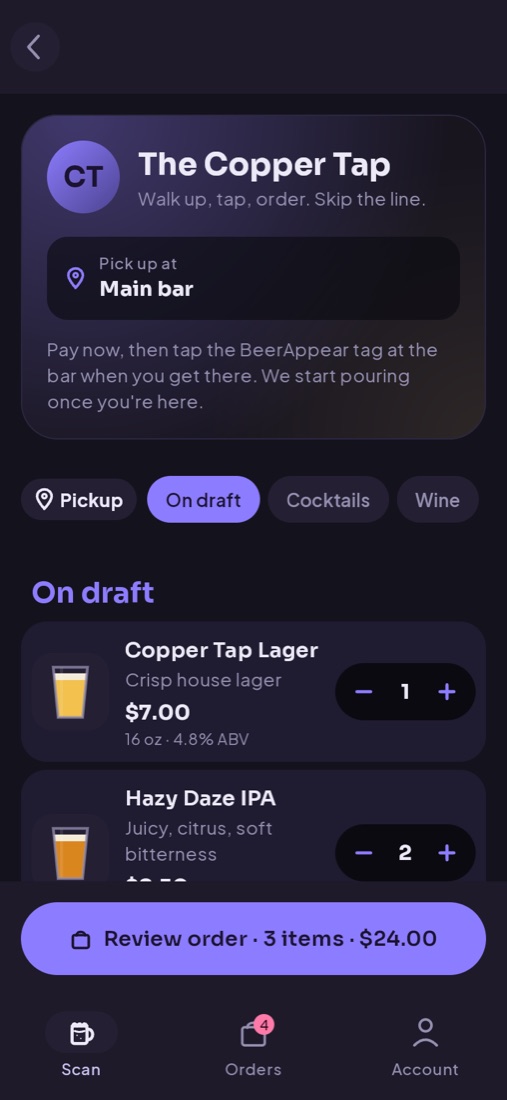
Hold the top of an iPhone, or the middle of an Android's back, to the tag. The menu opens in your browser.
-
2
Order and pay
Pick your drinks, add a tip and pay with Apple Pay, Google Pay or card.
-
3
Tap in at the bar
Tap the tag on the bar, or tap I'm at the bar now. That's when pouring starts.
-
4
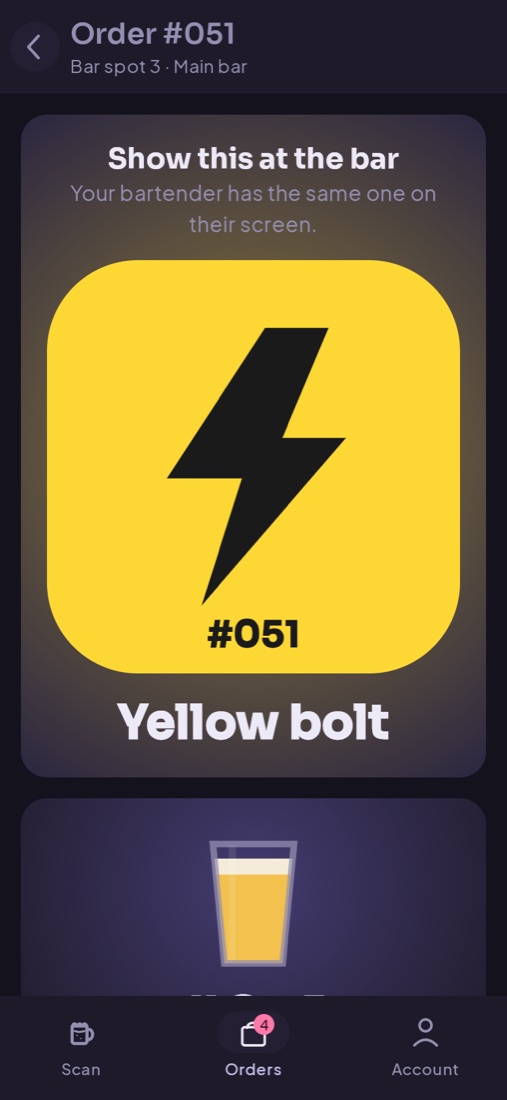
Show your symbol
Your phone tells you when they're ready. Show your symbol and grab them.
Your phone and the bar's screen show the same symbol.
Own a bar?
Bartenders pour. The line gets shorter.
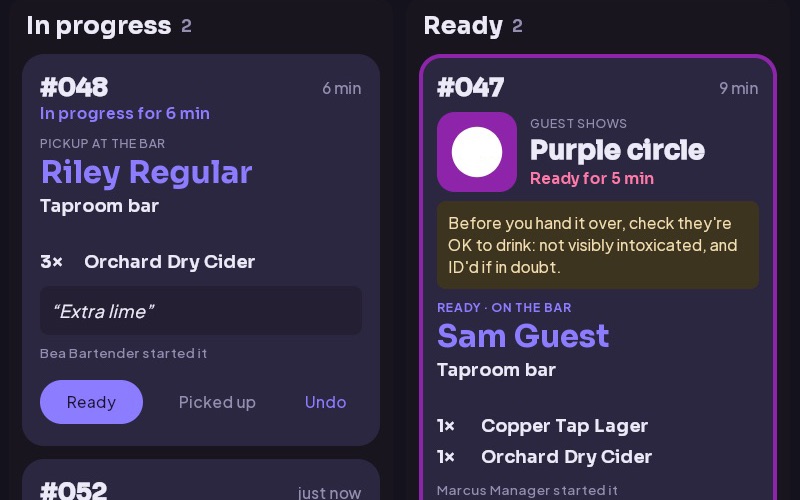
Paid orders show up on an iPad or tablet behind the bar once the guest is there, with name, drinks and notes. Staff pour instead of taking orders.
2% per app order. No monthly fee or contract.
Questions
Good to know
Where can I use Beer Appear?
At bars with a Beer Appear tag. We're starting with a few bars, so you won't see them everywhere yet. Try a test order at our demo bar.
Which phones can tap the tags?
iPhone XS and newer, and most Android phones with NFC on. If yours can't, type the tag's short code at order.beerappear.com, or ask staff for the link.
Do I need an account?
Not to order. You only need to sign in to start a tab or see past orders, with Apple, Google or email.
Is paying safe?
Payments go through Stripe, a PCI-certified provider. Your card details never pass through Beer Appear or bar staff. With Apple Pay or Google Pay, your card number isn't shared at all.
What about ID?
You must be of legal drinking age to order alcohol. Staff may check your ID when you pick up your drinks.
See it for yourself
Try a test order on your phone now. No money moves. Run a bar? We'll set it up with you.